Skip to main content
How to export test charts for use in GMG Measure
- Create a new test chart in OpenColor or open an existing one.
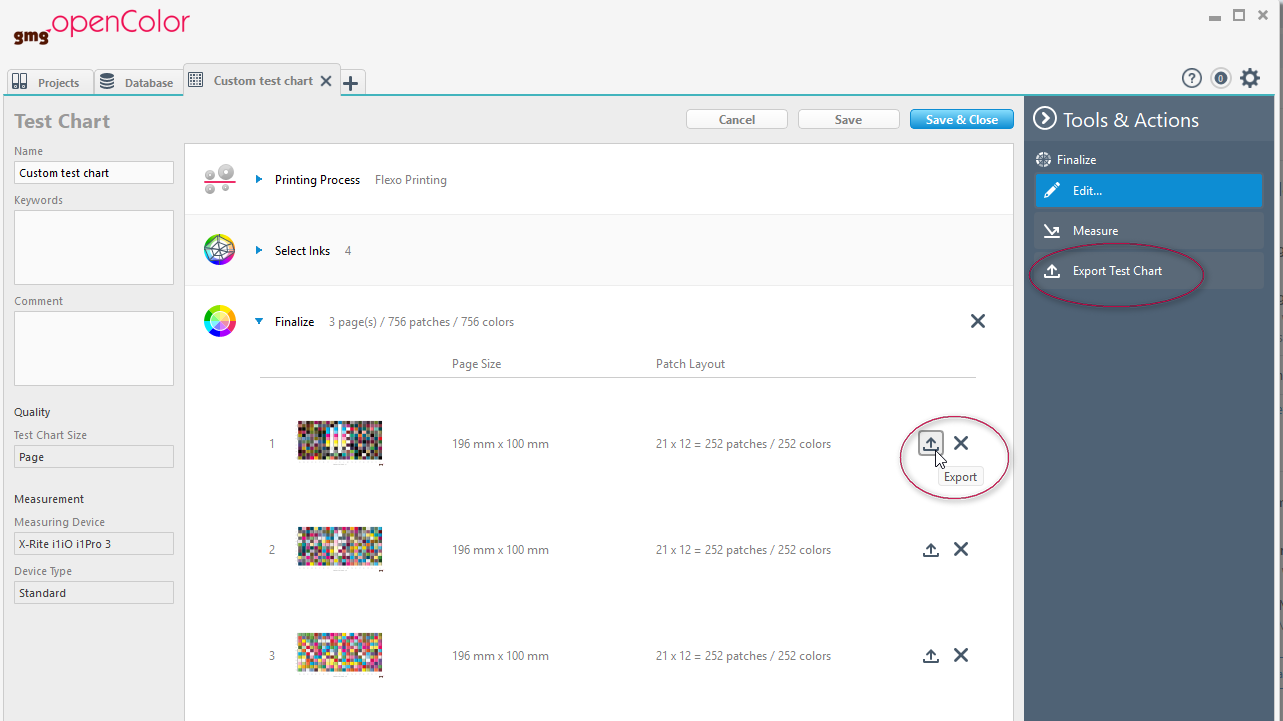
- Click Export if you want to export a specific page or click Export Test Chart to export multi-page charts.
- Select CGATS Measurement templates (*.txt) or CGATS Measurement templates bundles (*.zip) and Save.
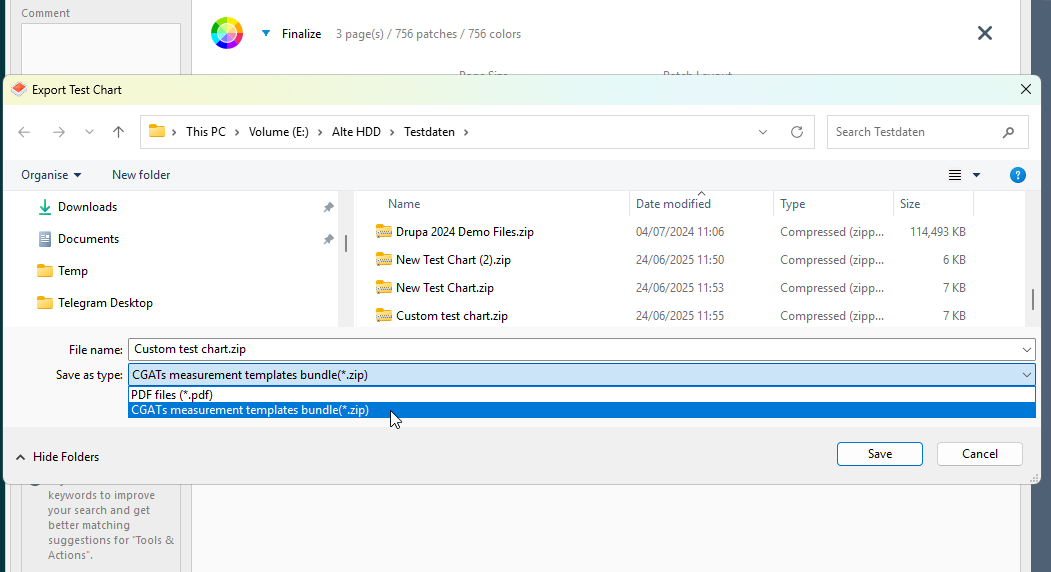
- You can import the CGATS files as test chart in GMG Measure.

Comments
0 comments
Please sign in to leave a comment.