Skip to main content
Import a spot color library from PDF files with embedded CxF
- Create a new characterization or a new project.
- Type a name, define the Printing process and the media and save
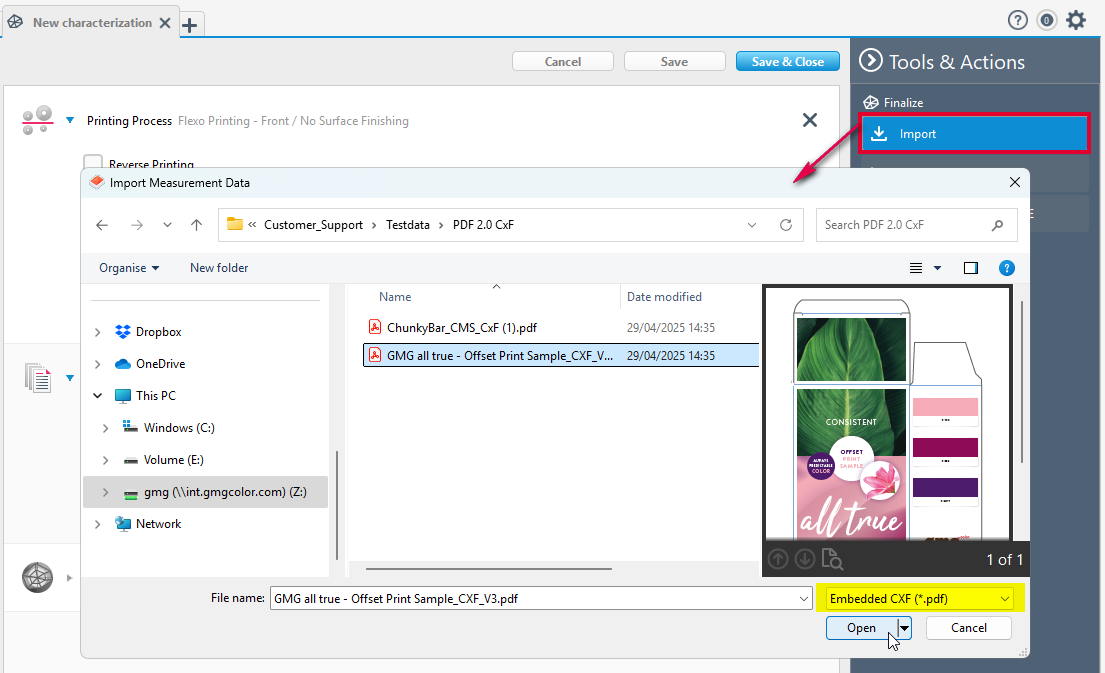
- Click Import >set the file filter to Embedded CXF (*.pdf) to show PDF files.
- Select the PDF file including the relevant spot colors and confirm with Open to import the spot colors.
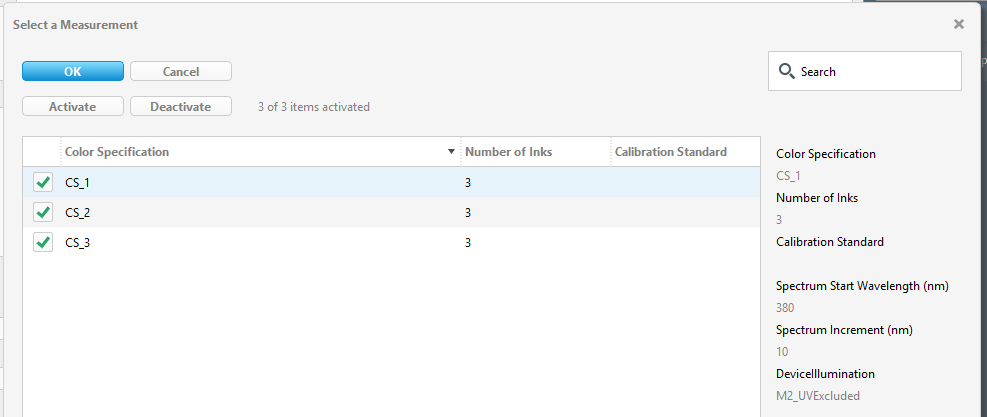
- Select and activate the required inks and confirm
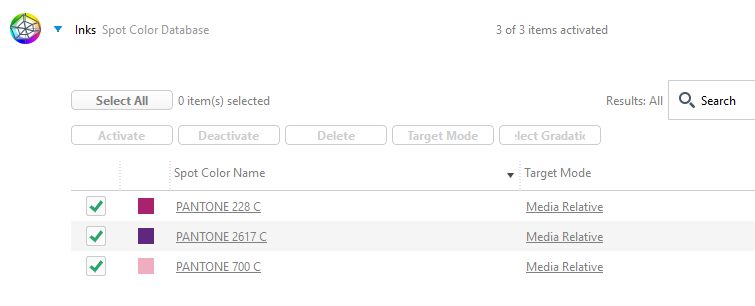
- The inks have now been added.

Comments
0 comments
Please sign in to leave a comment.